You probably don't recognise the name Shogun Bros, but you might have seen its first mouse, the Chameleon, in last year's CES coverage. It was the bizarre rodent that could be flipped over and used as a gamepad.
Now the Hong Kong-based company is back with a more serious gaming mouse, the Ballista MK-1, and it's rather impressive.
The curves of the Ballista MK-1 are classic right-handed ergonomics, immediately separating this mouse from the Roccat Lua. There are many other differences too, not least the use of more precise laser tracking as opposed to optical tracking, making the Ballista a much more fully functioning game-centric mouse.
Shogun Bros is new to the UK, and hopefully by the time you read this it will have sorted out distribution over here as well as in the US. It has a neat line in compact mech-switch gaming keyboards too, so I'm welcoming it with open arms.
Precisely
The headline feature for the Ballista MK-1 is that huge 8,200dpi setting, but for me the general performance of the mouse is more interesting. At the top dpi setting I find it too easy to lose my bearings mid-frag - a little jolt of the wrist and you're facing the opposite direction. Still, 5,600dpi is precise and pretty darned rapid. The switching is intuitive too, letting you flick between dpi settings on the fly via a switch by your thumb.
Personally though, it was the smooth tracking of your mouse movements that really warmed me to the Ballista MK-1. Despite the rapid movement that comes with those seriously high dpi settings there was never a time where it felt jerky or twitchy. Fine-grain movements were possible, and smooth tracking shots also became second nature.
I'm not going to say the Ballista suddenly made up for my general lack of twitch-gaming skills, but it certainly made sure that I had nothing else to blame for poor performance but my own dearth of proficiency.
Shogun Bros has also added in a further set of programmable buttons to complement the side-mounted forward/back buttons next to your thumb. These sit by the right mouse button, and are surprisingly easily accessible during battle. It may take a little bit of getting used to their placement, but they become useful accessories when you do.
The added macro creator in the Shogun Bros software is also impressive, allowing a full range of macro recording to be tied into any of the programmable buttons, in five customisable profiles.
Inevitably though, for such an ergonomically designed mouse, the Ballista is going to immediately antagonise the left-handed gamer out there. While you can switch around the primary and secondary buttons easily enough, it's never going to be comfortable to use in the left hand.
But that's obviously only an issue for lefties. For the rest of us the Ballista MK-1 is a nicely designed, well-weighted gaming rodent with incredible precision. It won't suddenly make you the best Planetside gamer in the world, but it does mean that you can't blame your tools.
The 13-inch laptop has gone on leaps and bounds recently, thanks massively to Intel's Ultrabook specifications.
In many ways, a 13-inch laptop is the perfect size for a portable PC; they're not as fiddly and squint-inducing as netbooks, but not as heavy and awkward as a full-on notebook.
And there are plenty of PC and Mac options available, too.
For a broader view, look at our best laptops in the world today. But whatever you do, read on to find our favourite 13-inchers of the past few months in no particular order.
1. MacBook Air 13-inch
In a market becoming densely populated with slim-line laptops from a massive range of manufacturers, Apple still holds the trump card with the MacBook Air. It packs in cutting-edge technology from Intel, along with faster RAM and updated connection ports compared to its predecessor, offering a great experience. The keyboard is excellent (and backlit), the Multi-Touch trackpad works brilliantly, and it's as fast as you like.
The IdeaPad Yoga is all about flexibility (hence the name), offering tablet and laptop all in one. As far as tablet experiences go, a 13-inch screen may seem like overkill, until you're holding it on your lap. And, practically speaking, we love that if you see something in the tablet or other non-laptop modes that merits a deeper dive, you can pull the keyboard out and get busy. Aside from Microsoft's own-brand Surface tablet, this is an ideal flagship device for Microsoft and Windows 8. As much as possible, it takes complete advantage of the Windows 8 environment, particularly the new UI. For now, it's hard to imagine anyone topping a device that can be favourably compared to other laptops as well as tablet convertibles.
Apple's late 2012 13-inch MacBook Pro with Retina display isn't for everyone. Many will baulk at the price, and even those who are willing to pay it should ask themselves whether the small saving and slightly smaller size is enough to recommend the 13-inch Retina notebook over its more powerful 15-inch counterpart, but there's no denying its quality and attractiveness. The Retina screen takes notebook displays to new heights; its Ivy Bridge processors are very powerful; and the new form factor makes it the most portable 13-inch MacBook yet.
This touchscreen Ultrabook was one of the best we saw at IFA this year, thanks to its premium feel. The display is great, with multi-touch and a Full HD 1080p resolution, despite being among the thinnest laptops available. It's light, as well, so will be great for carrying around. When it comes to specs, it's no slouch either, including the latest Intel chips and an SSD for fast running.
The Asus Zenbook Prime UX31A's screen is its big showpiece. It's not just the resolution, but the overall quality. Great colours, excellent viewing angles, good contrast ratio – at 13.3 inches, it's a 1080p masterpiece. Performance is just as speedy as you'd hope for the price, with Windows 7 picking up almost instantly from standby, and even booting barely giving you a wait. Really importantly, it's also comfortable and pleasant to use. The trackpad is good, the keyboard is great, and it's made really well.
This Toshiba Satellite Z930 is a very accomplished Ultrabook – thin, light and powerful enough to handle a wide range of tasks simultaneously. As a work computer, the Toshiba Satellite Z930-10X benefits from the range of connections on offer, including Ethernet, HDMI and three USB ports. At 20mm thick and weighing only 1.1kg, you can easily carry the Toshiba Satellite Z930-10X from home to the office every day without any trouble. As a mobile workstation, it's an excellent purchase.
The Samsung Series 5 Ultra offers excellent value for money, and if you're looking for an Ultrabook on a budget, this is well worth considering. You get 500GB of storage – much more than most SSD-based Ultrabooks – and it offers an excellent keyboard and trackpad. Usability is something we've come to expect from Samsung after testing many of its laptops, and it's certainly the highlight here. Probably the biggest thing in its favour is the price, though – it's great balance of features and budget.
We can't help but be stunned by the look and feel XPS 13 and readily admit that it's jaw-droppingly attractive. The footprint is actually similar to an 11-inch laptop, so it's even smaller and less intrusive than you might expect. When it comes to performance, it's pretty typical for a thin and light laptop, but that means fast boots and near-instant use from sleep. Dell's produced something that's both good for business and personal use, even if it's not the cheapest out there.
The Sony S Series 13P is a shining example of Sony's ability to craft great laptops, and it's practically flawless as an ultraportable business machine. Both the portability and usability are excellent here. So much so, that the excellent specification almost fades into the background – there's a Blu-ray player, Thunderbolt, Fingerprint scanner and backlit keyboard, as well as SSD and a 203 minute battery life. On a chassis this size, that's all absolutely exceptional.
The Lenovo IdeaPad S300 isn't quite an Ultrabook, but – aside from its lack of a fast drive – it has much the same appeal. It's got a low price tag for this kind of laptop, but Lenovo hasn't scrimped on the important things, so it has a pretty good range of connections, including a handy USB 3.0 port, HDMI-out and the latest generation Wi-Fi adaptor for faster wireless speeds. It certainly looks the business, and the build quality looks as if it came from a laptop costing twice the price. It may not be the slimmest or lightest, but it is very attractive, well-built, very nice to use for long periods of time and it does have a decent amount of lick underneath the hood, thanks to its Ivy Bridge processor.
Asus now regularly turns out gleaming high-end machines that we can't take our eyes off, and the Zenbook UX32A is one such machine. The design and usability are great, from the slickness of Windows 7 with the Ivy Bridge processor to the great keyboard with the subtle backlight. Like its predecessor, the Asus Zenbook UX32A is also slim and light enough to carry around all day and the range of connections, especially the three USB 3.0 ports, is excellent. If you're on a budget and looking to make the step up from a cumbersome laptop to a gleaming new Ultrabook, you won't find many better options than this one.
The MacBook Pro is a formidable machine. The new processors and improved graphical capabilities give it a considerable power boost over its predecessors, and the USB 3.0 ports make available a wealth of already-released high-speed storage peripherals. The 13-inch MacBook Pro is ideal for those who need a little more configurability and storage than the MacBook Air can offer, but also need a very portable machine. Intel's latest chips give it some serious performance, and it's hugely usable, with an excellent keyboard and trackpad.
Sony's entry to the Ultrabook market was long overdue, but the Sony Vaio T13 is a fantastic looking ultra-portable computer that is perfectly suited for somebody looking for a day-to-day media-friendly laptop. The build quality is so sturdy and strong that we were never concerned when it came to carrying the Sony Vaio T13 around, even without a protective sleeve. It's also got the speed you'd expect from an Ultrabook, coming on from sleep almost instantly.
The HP Folio 13 is really more aimed at the business market than the home user, swapping the likes of a powerful CPU for stability, reliability and security. And yet, thanks to the Samsung SSD, real world performance and responsiveness is still good. It's very solidly constructed, too, and the tactile experience reeks of quality. That's especially true of the backlit keyboard, which is a pleasure to use. The battery life is solid as well, meaning that while this isn't a showy Ultrabook, it's a solid choice.
As Toshiba's first Ultrabook, the Z830 is an excellent computer, booting quickly and performing well. At 1.1kg, it's unbelievably light, even by Ultrabook standards. Likewise, the 13.3-inch screen is one of the thinnest we've seen. An SSD offers plenty of speed, and battery life is excellent. It also offers Intel's WiDi wireless display technology, which is still a fairly rare feature.
The Samsung Series 9 is a fantastic-looking laptop that doesn't sacrifice usability, like many ultra-portable laptops. But aside form the design, we loved the speed and responsiveness of the system, thanks to the SSD drive. The speedy resume from sleep, and the ability to be in a fully functional version of Windows in just 10 seconds makes the Series 9 hugely versatile.
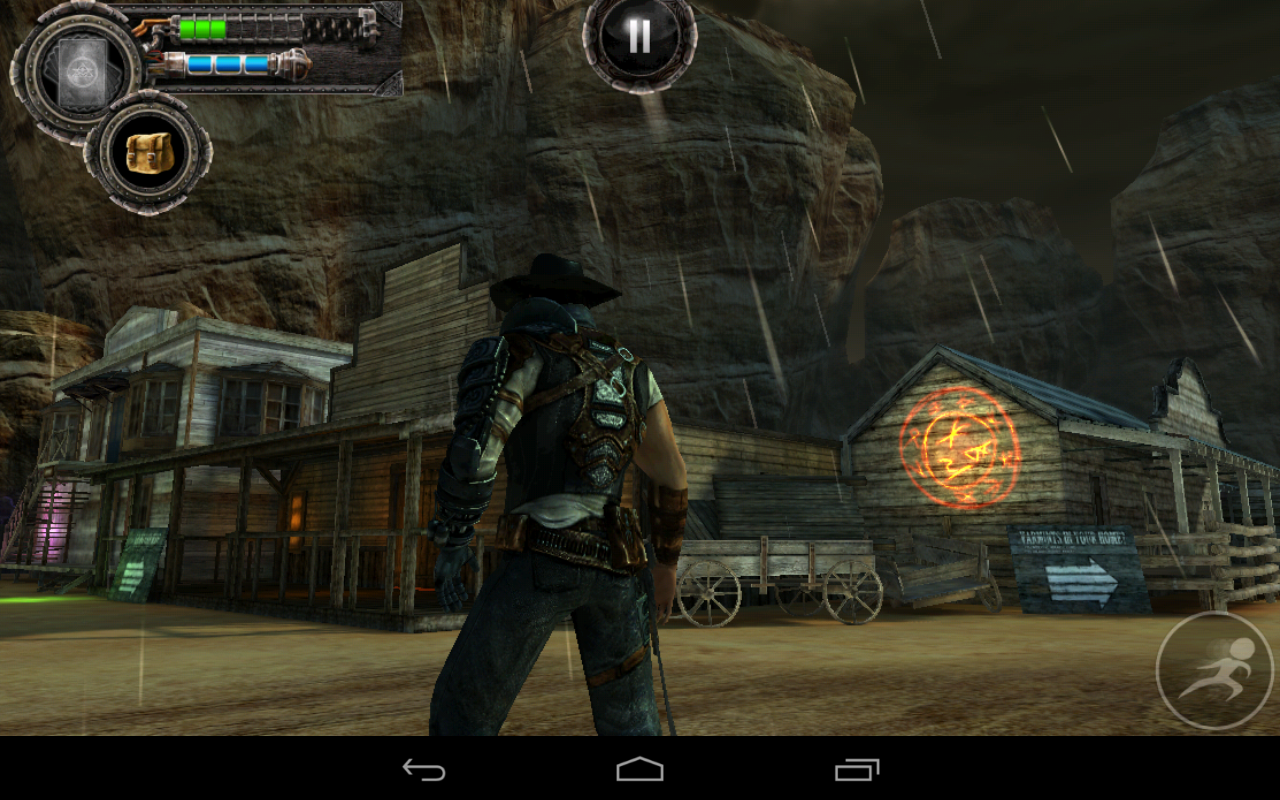
Bladeslinger is one of those games that makes a splash with impressive trailers and promises of console-level gaming, but how often have we been left heartbroken by similar titles? This game sets out to tell a story, so at least it has that going for it. William Glaston is just your average cowboy with a revolver-gun and robot arm, but things get weird when he returns to his home town of Hammer's Peak to find it overrun with monsters that used to be the townsfolk. The story unfolds as Glaston wanders the seedier parts of Hammer's Peak in search of his brother, and the cause of the corruption. Can this action RPG deliver?
Controls And Gameplay
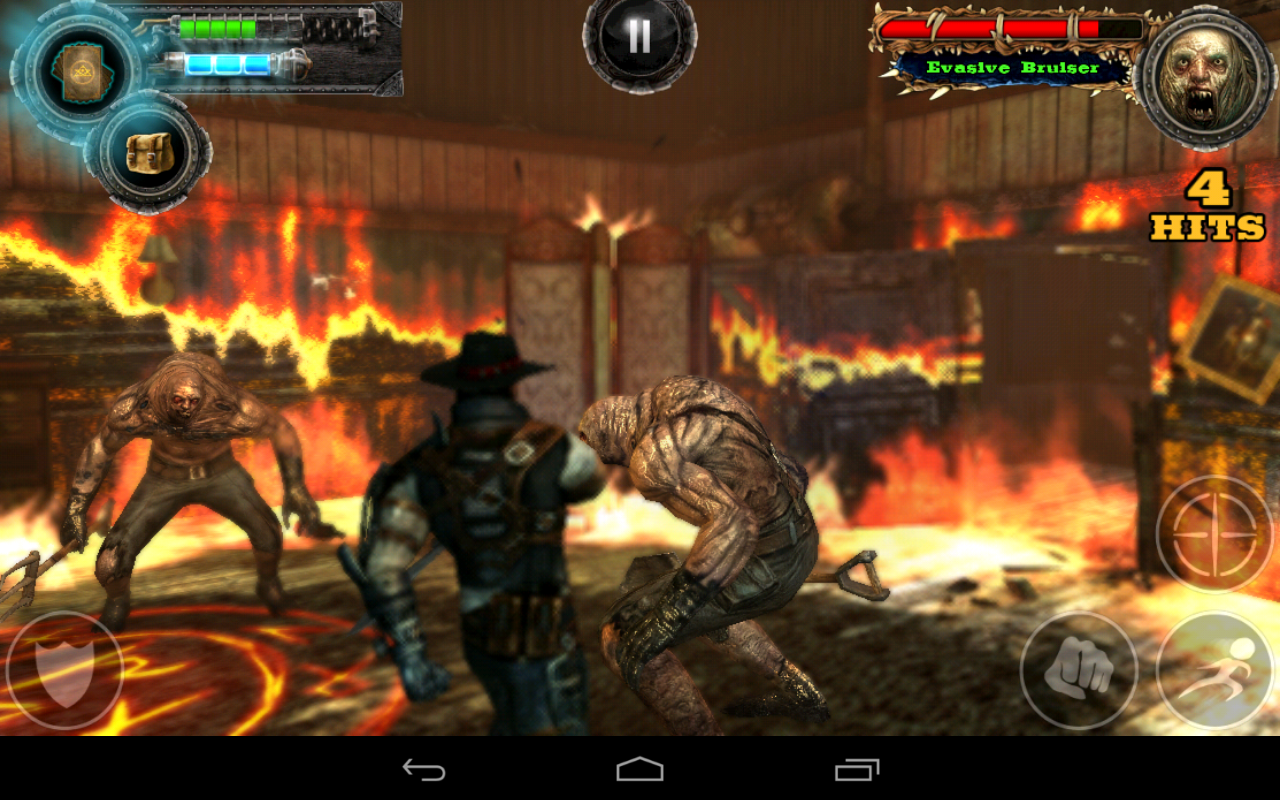
Bladeslinger tosses you right into the action, and does a good job of explaining the controls to you. You have your choice of two control schemes: one-handed and two-handed. Bladeslinger strongly suggests you go with the super-innovative one-handed control method, and for this reason I have crowned this section of the game "scumbag tutorial." This setup seems okay at first. You swipe to slash with your blade, tap to shoot, swipe with two fingers to punch, and tap with two fingers to dodge. When you're not fighting, you just tap and drag to walk. If only it were that easy.
The problem with Bladeslinger's preferred controls is that you can't possibly manage the more intense battles later in the game with these gestures. You shoot when you mean to slash, dodge when you mean to punch, and just can't move around well enough to avoid getting destroyed. I was nearing my limits with Bladeslinger until I tried the two-handed controls and the game got so much better. This style has a virtual thumbstck on the left to move and buttons along the bottom for all your attacks, except for sword strikes, which are controlled with swipes on the right side of the screen. Trust me – it is not playable with the default controls, but is actually quite good if you change it up.
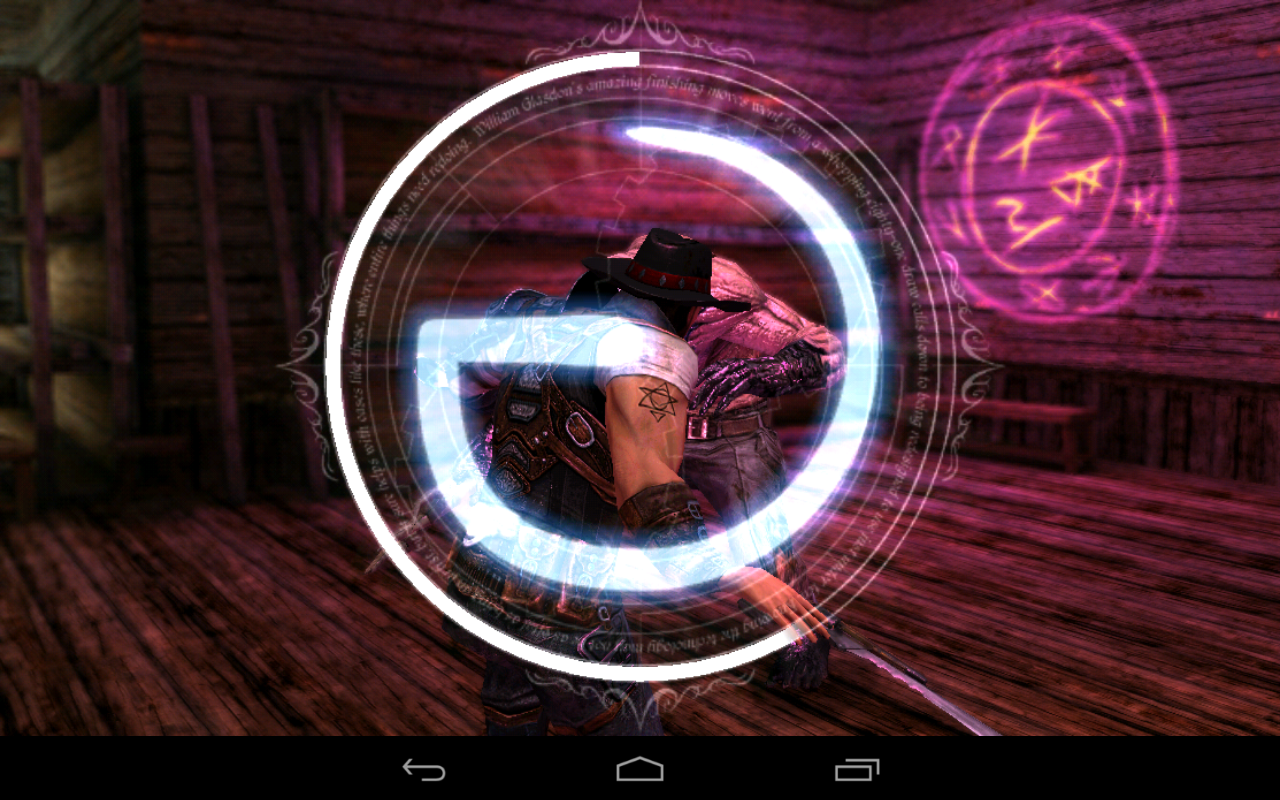
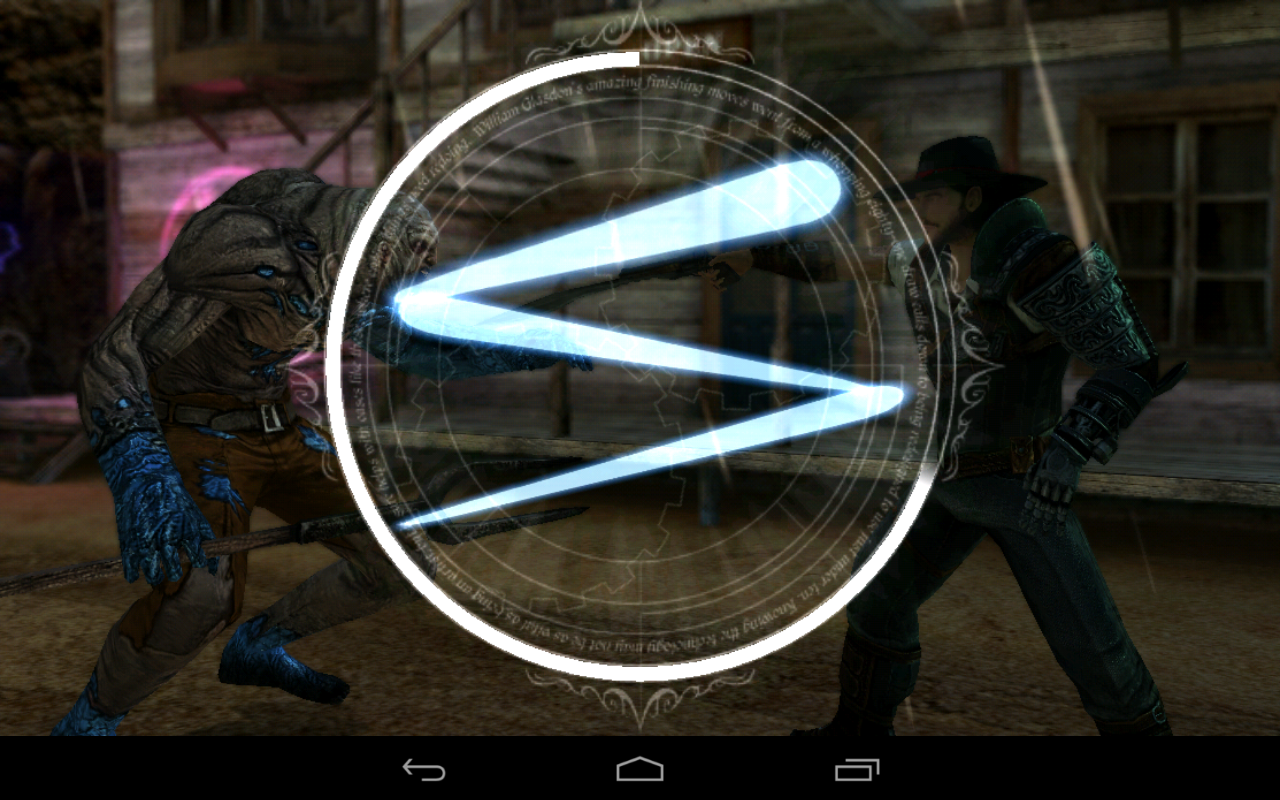
Throughout the game you're instructed to trace runes and shapes on the screen to accomplish various tasks. Unlocking new areas and performing finishing attacks are two prominent examples. I really like this system. It isn't pushed too much, and the finishing moves it can be used to trigger are genuinely useful.
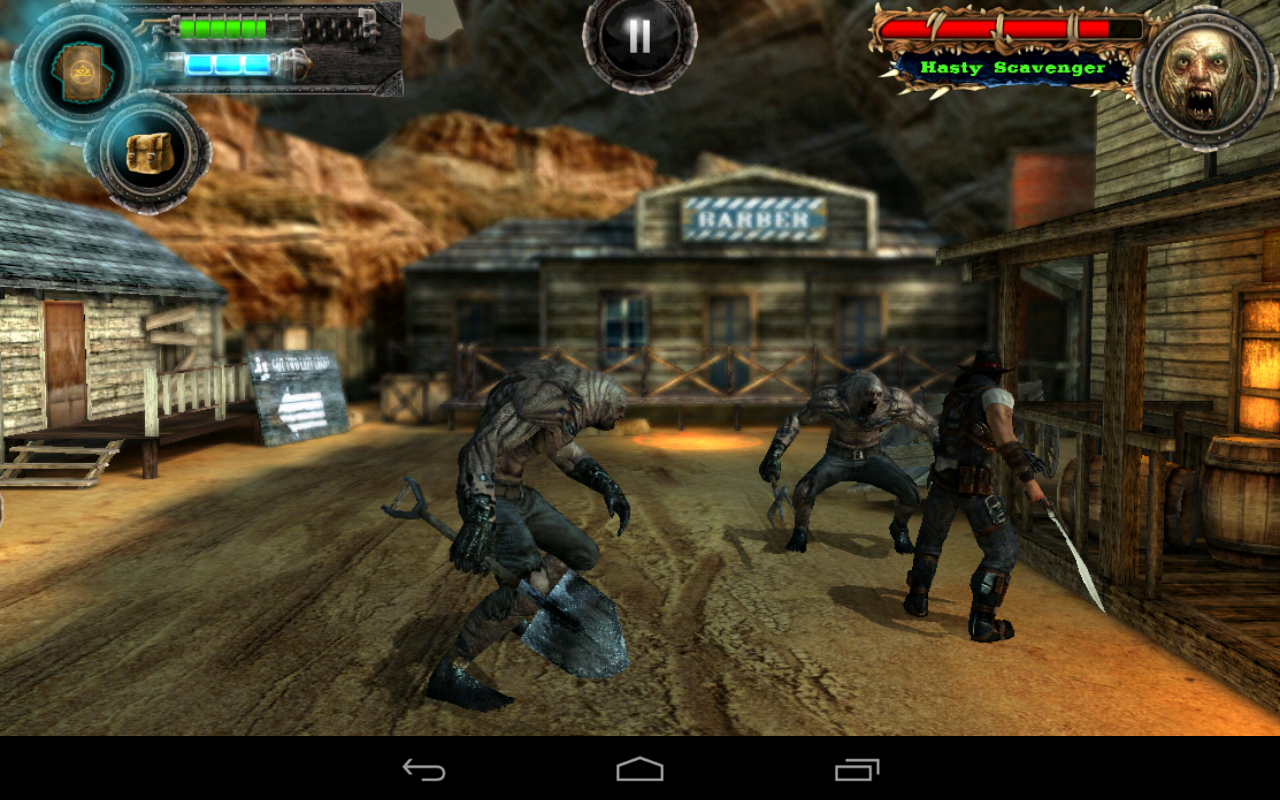
Bladeslinger is heavy on the hack-and-slash battles, but there is a little strategy to be found as well. Some enemies have patterns that you'll have to sort out. Just running in guns blazing is going to get you impaled with a scythe, and no one wants that. Well, except for the monster with the scythe. Each battle gets you gold, which you can use to buy items in the store, or to unlock upgrades for your character. Bottom line here: I really enjoy the combat in Bladeslinger.
Now, about that gold... there are in-app purchases. There is gold, and also spirit stones to collect in the game. Yes, it costs $3 up-front, so what gives with the IAPs? I'm not pleased with this at all. I'd have preferred to just pay $6 for Bladeslinger and have it balanced in a way that I don't need IAPs. As it is, you might have to spend a little cash. You'll see a big benefit from buying health potions and upgrading your skills faster with money. There's a system of cards for special attacks, but they're expensive. Kind of insultingly expensive, actually.
Graphics
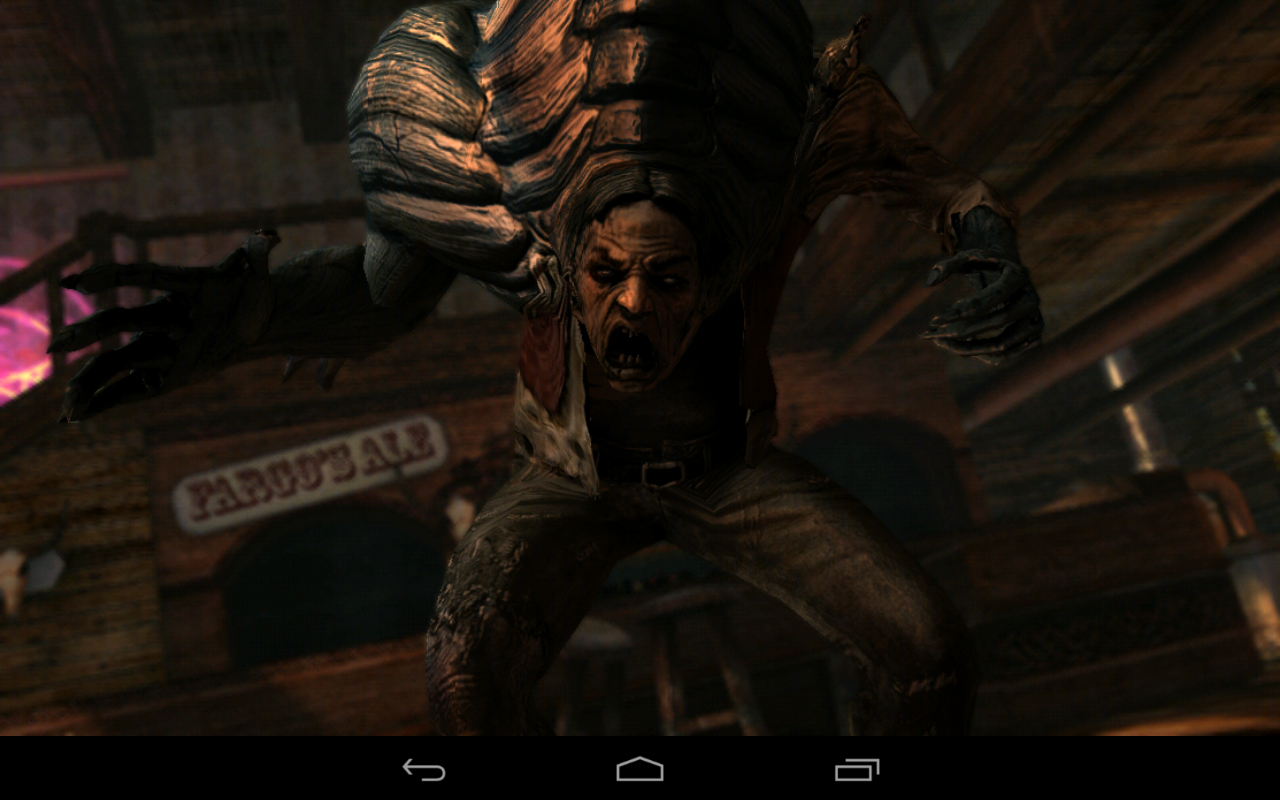
I usually feel a little let down by games that tout enhanced Tegra graphics, but not this time. Bladeslinger is gorgeous. The town of Hammer's Peak comes to life on my Nexus 7. The textures are incredibly sharp, and the character models are awesome. Some of these monsters are so impressive-looking that I'm momentarily stunned. An example is found early on during the cutscene before the first boss battle. The "Barman" leaps across the room, throws a table, and roars at the camera. This all happens in the game engine, and it looks killer.
I have nothing but good things to say about the lighting effects as well. Shadows, lamps, fires – they all look great. This is what you get with the Tegra enhanced graphics. Tegra devices also have depth of field effects. This makes objects that are more distant look out of focus. When this works, it looks awesome. However, the focal range might be a little too shallow. There are times monsters right in front of your character end up blurry.
Performance on the Nexus 7 is 99% of the way there. I've had a handful of slowdowns, but Bladeslinger is more than playable.
Conclusion
On one hand I want to be outraged that a $3 game seems to be pushing you toward in-app purchases. On the other hand... Bladeslinger is really fun. Once you ditch those terrible one-handed controls, the combat is solid. I also find the story engaging, at least as far as mobile gaming goes.
Even if you're not huge on hack-and-slash fighting, the visuals in Bladeslinger will draw you in. It's one of the best-looking games I've played on Android. If you're wary of in-app purchases, I won't blame you for skipping Bladeslinger. It's going to be a little grind-y without spending a few bucks. But maybe it's worth it to pretend this is a $6 game and buy a little loot.
There are countless music players out there offering buckets of features and flair, but sometimes you just want a basic app to play music from a folder structure. Beam Player fits the bill for this use perfectly, and doesn't go over the top on design or unnecessary features either. Best of all it's holo, tablet responsive, and has great widgets and notification controls.
Hang with us after the break to see more of what Beam Player has to offer as a simple music player.
Folder interface on phone (left) and tablet (right)
Beam Player is designed to do just one thing: browse and play music from a folder on your device. No extra frills or features, the main interface of the app is basically a file explorer where you can find music files to play. There are three main tabs at the top of the app -- recent, favorite and folders -- to navigate, as well as a button to take you to the visual music player and an overflow settings button. You can set a default folder where you expect to often see music, or you can browse every time you'd like to find something to play. Once you choose the folder, you just tap on a file to start playing it or long press to delete or add to favorites.
The Beam Player design is distinctly "holo", which is perfect for an app like this. In the settings you can choose between different holo themes -- light, dark, light and dark, light and purple, dark and purple -- to personalize it a bit as well. No matter the theme, the interface is extremely easy to use. Another benefit of following the new design guidelines is that the tablet interface scales appropriately. On a Nexus 7, the UI changes slightly to offer a persistent panel on the left to select folders, with the files contained in each folder displayed on the right. The interface will be familiar if you've used Gmail on a 7-inch tablet.
Music player interface on phone (left) and tablet (right)
For a decidedly bare bones music player, Beam Player actually has a very nice set of widgets, lockscreen controls and notification controls. There's both a simple 4x1 widget with album art and title as well as play/pause forward/back controls and a 4x4 widget with larger album art. You also get a standard Jelly Bean-style expandable/actionable notification and lockscreen controls that are near mirror images of the Google Play Music ones. We wish every music app had this clean of widgets and controls -- they make Beam Player feel like a part of the OS.
Settings menu (left) and available widgets (right)
Beam Player is fully featured and free in the Play Store with ads, or $2.01 to use without ads. If this style of clean and functional app fits your needs, we recommend dropping the few dollars to support a developer that's doing great work. You can check out the paid version of the app in the Play Store from the link at the top of this post.
Making a decision between the HTC One and the Galaxy S4 isn't going to be easy for many folks
The battle lines have quickly been drawn between two of 2013's hottest Android smartphones -- phones that, by the way, not a whole lot of people have actually touched yet -- the HTC One and the Samsung Galaxy S4. The HTC One is just now going on sale in parts of Europe. We're still waiting on any U.S. carrier to announce availability for either of the phones.
We've been using the HTC One for a week now. (I've been using it as my main device, actually.) And wegot to spend some time with the Samsung Galaxy S4 on Thursday in New York City. And we got to put both phones up against each other.
Know what? Folks are going to have a tough decision to make.
Read on for some initial thoughts on the Samsung Galaxy S4 versus the HTC One.
Hardware
Two ends of the manufacturing spectrum here. HTC's gone (nearly) all aluminum with the HTC One. Samsung's using what feels like the same plastic (polycarbonate, you'll hear them say) as in previous devices. Both have their merits. The HTC One certainly feels more futuristic -- a metal unibody construction usually does. The Galaxy S4 isn't quite as sleek in its design (it's actually lost a little bit of the curve of the Galaxy S3), but that's not to say it's not also a looker. It's also nearly the exact same size as the Galaxy S3, so it's a got a pretty familiar feel to it. In terms of smartphones currently available, it's like the Verizon Droid DNA (or HTC J Butterfly outside the U.S.) compared to a slightly more squarish Galaxy S3.
The debate over whether metal is better than plastic isn't going to subside anytime soon, and that's a good thing. HTC's done wonders with the design of the HTC One, and I like it a lot. (Though I think it's a tad too tall for my taste.) Samsung done well with the GS3 design, and it's not rocking the boat too much with the GS4. There's no real wrong answer here. Try them both. If one feels better than the other to you, then go for it.
I do prefer the button scheme on the Galaxy S4, though. If you're going to have a home button -- and all Android phones do -- it needs to be in the middle. It's the most-used button on the phone (next to the power button, perhaps). It needs to be in the middle of the phone. Samsung still has a dedicated menu button. I'm not crazy about that idea -- Google long ago told app developers to stop designing apps with menu buttons in mind -- but I'm also a realist. Most devs haven't updated their app designs, and a menu button provides a better experience than the big black bar you get at the bottom of apps on HTC phones. The back and menu buttons smartly disappear when not in use on the Galaxy S4. Nicely designed.
Turning to the display, I've been pretty impressed with both. We'll need more time with the Galaxy S4 to be 100 percent certain, and I've preferred the Super LCD displays that HTC uses over Samsung's Super AMOLED displays. But packing in more pixels usually cures what ails ya. As both displays are 1080p, it's kind of a wash, at least at a glance. It'll be interesting to how "Samsung Adapt Display" makes a difference in everyday use.
We'll need to spend more time before properly commenting on hardware performance, but both phones have relatively the same internals. Well, that depends on where you live. Some versions of the Galaxy S4 will have Qualcomm's new Snapdragon 600 processor -- same as the HTC One -- and some will have Samsung's new Exynos 5, which boasts eight cores. So we'll have to see. (Also, the software we used on the Galaxy S4 was very pre-production, less finished than what's on our HTC One.)
It's worth a reminder that the Galaxy S4 has a removable battery and microSD card slot. If those are important features to you, that helps make your decision.
The software
If we had to describe HTC and Samsung's software philosophies in a single sentence, it'd be this: HTC puts more emphasis on design, whereas Samsung packs in more features. That said, Samsung's "TouchWiz" user interface continues to improve. It's still not my favorite UI (I'm more of a stock guy), but it's getting better. I'll need some more time with the GS4, but I think TouchWiz might also be a little more intuitive to use for normal consumers. We'll have a better read on that after using the GS4 in real-world scenarios.
HTC's big bullet points for the HTC One are the camera (with its UltraPixels, Zoes and Video Highlights), BoomSound (which is a combination of the excellent front-facing speakers, Beats Audio and other tweaks), and BlinkFeed (bringing news and social updates to your home screen). Those are going to be big marketing points. Samsung's new features in the Galaxy S4 maybe don't have the same marketing-friendly names, but there are so many useful bullet points it's damn near overwhelming. (I recommend reading the official Galaxy S4 press release for the full rundown.)
HTC and Samsung do overlap a little bit. HTC's "Video Highlights" automatically parse your images and create highlight films. Samsung does the same with "Story Album." You can replicate HTC's BlinkFeed with an app like Flipboard. But BoomSound is as much hardware as it is software, and the HTC One definitely wins on that front.
Samsung's got more gimmicky features, but that's not to say they're not interesting or useful. "Air Hover" and "Air Gesture" -- which let you hover your finger over certain things to preview them and wave to scroll through items or trigger actions -- are at least fun, and they might very well change the way you use your phone. Sony's experimented with that before, but Samsung's the one bringing it to the mass market. Same for "S Health," wherein the Galaxy S4 takes features from apps like Endomondo or Run Keeper and makes them an integrated part of TouchWiz, helping to keep track of your daily routine. Throw in the optional S Health accessories, and you've got an impressive fitness suite that's already a part of the phone.
Or look at it like this: On the software side, Samsung and HTC essentially are trying to do the same thing -- most normal consumers don't customize their phones like you or I. So HTC has BlinkFeed for news and social updates, baked into the phone. Both the HTC One and Galaxy S4 will help organize and share your pictures. But the Galaxy S4 has so many more fun features and is light years ahead in making the phone and integral part of your daily routine. They're calling it a "Life Companion," and that might not be that far off in this latest iteration.
The bottom line
We're not going to solve this argument today. And the fact remains that there are folks in the Samsung camp (a lot of 'em), and folks in the HTC camp. And that's cool.
What we've experienced thus far are a couple of really good Android smartphones. And we can't purchase either of them yet. For all the blustering from the likes of HTC (and others) looking to steal some of the inevitable Samsung thunder, none of it matters until we can buy a phone.
You probably won't go wrong with either of these phones. They both have their merits. A lot of it comes down to personal preference. Nothing wrong with that either. Plastic or metal. TouchWiz or Sense. Great camera with a lot of features, or a great camera with a lot of different features.